
In booking at Luado, buyers will be showed taskers who matches their search at area, selected category and availability. In other words, you will only be visible for buyers when you have available time in your Luado Calendar.
HOW TO ADD AVAILABLE TIME
- Click on Log in
- Go to “My Job Preference” from My Page up to the right
- Select the day you want to edit and click “EDIT”
- Click on the hours you want to be available for assignments. They will automatically turn green when you are available.
Remember that you are obliged to take jobs at the times you enter in your calendar. Therefore, add only time you know you are available, and make sure to update your calendar regularly.
EXAMPLE
You want to be available for assignments April the 29, between 10:00am and 15:00am.
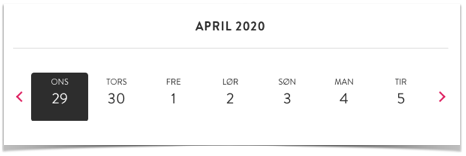
Choose the date, and click on each hour between 10:00 and 15:00, which you want to be available. The hours will then turn green, as shown in the Screenshot below. The system will automatically save the time you add.
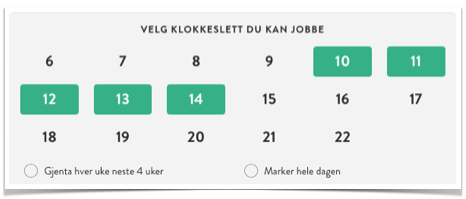
If you want to choose a new day / date where you will be available, you can easily choose a day 30 days ahead.
If you want to be available all day, select “Mark all day”.
To repeat the same setup, select “Repeat weekly for the next 4 weeks”. The same times will then be available for assignments on the same day of the week, for the next 4 weeks.
Click on “See monthly overview” to make sure everything seems correct.
ANY QUESTIONS?
See our Help Center for Frequently Asked Questions.